PostgreSQL GUI Client for Mac
The PostgreSQL client your Mac deserves.
Rowwright speaks PostgreSQL fluently — schemas, views, materialized views, functions and sequences, JSONB, arrays and every column type in between. Open a table and edit it like a spreadsheet, or write SQL with autocomplete that knows your schema.
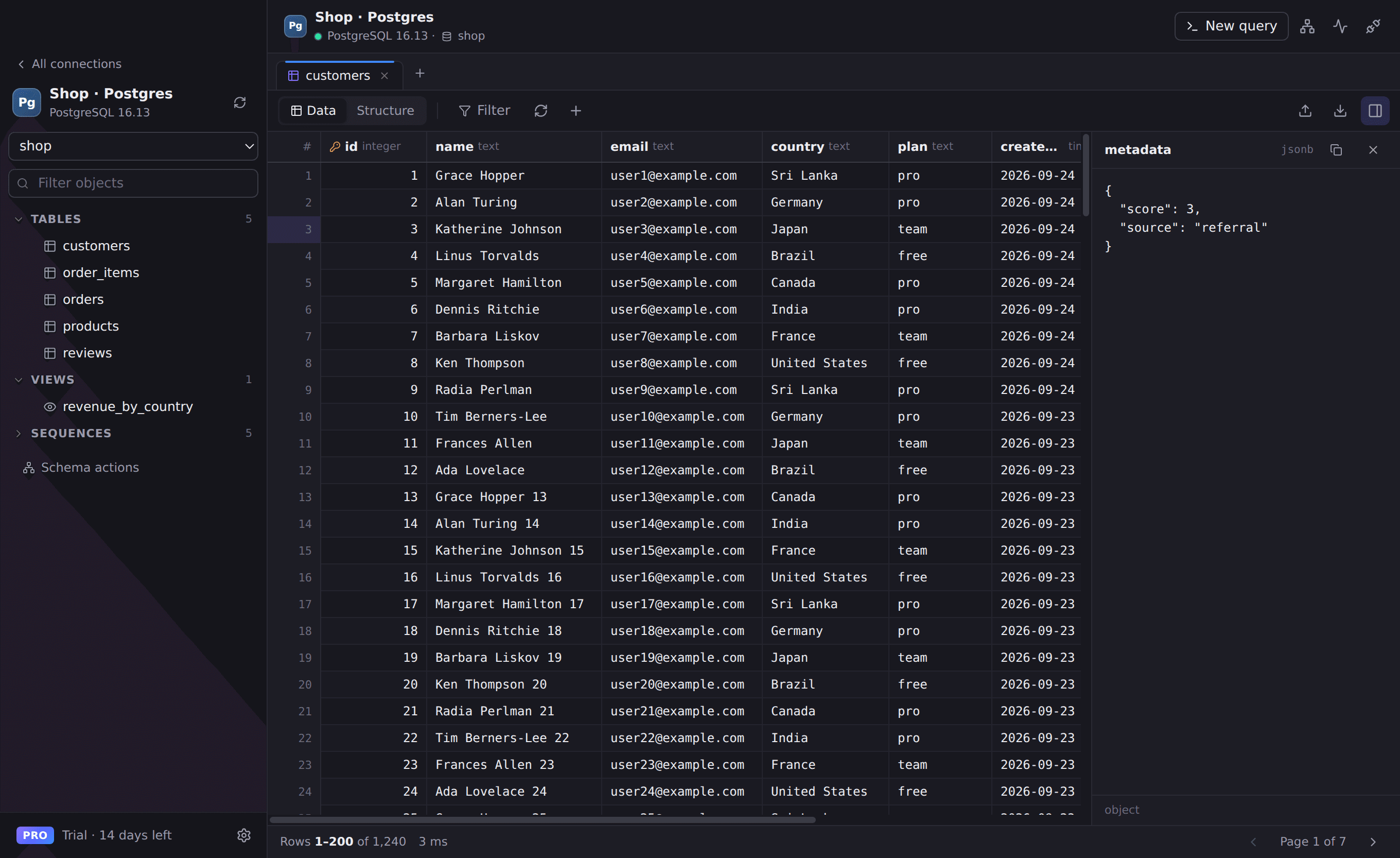
Everything you need for PostgreSQL
Every schema, organised
Tables, views, materialized views, functions, procedures and sequences — grouped by schema, with public first.
Edit rows safely
Inline edits, inserts and deletes stay pending until you save them together in a single transaction.
SQL with superpowers
Autocomplete tables and columns, run the statement under your cursor, EXPLAIN plans, dollar-quoted functions and multiple result sets.
Understand your database
Column, index and foreign-key details with generated DDL, interactive ER diagrams and a live view of pg_stat_activity.
Works with
- PostgreSQL 11 and newer
- Supabase
- Neon
- Amazon RDS & Aurora PostgreSQL
- Google Cloud SQL
- Azure Database for PostgreSQL
Connect in seconds
- 1. Open Rowwright and click New connection.
- 2. Paste a connection URL, or fill in host, port and credentials:
postgres://user:password@db.example.com:5432/app3. Press Save & Connect. Passwords are stored in your macOS Keychain.
PostgreSQL questions
- Can Rowwright connect to Supabase or Neon?
- Yes. Paste the connection string from your provider’s dashboard into New connection. Rowwright reads the host, port, user and database from it and supports SSL.
- Does Rowwright support PostgreSQL over SSH?
- Yes. Turn on the SSH tunnel in the connection dialog and use a private key or password. Rowwright opens the tunnel for you — no separate terminal needed.
- Is Rowwright a pgAdmin alternative?
- Rowwright covers the day-to-day work — browsing and editing data, writing queries, inspecting structure and watching activity — in a fast Mac app that also handles your other databases.