Redis GUI for Mac
Redis, finally visible.
Rowwright turns your keyspace into a browsable tree, grouped by the colons in your key names. Open any key to edit its value, watch its TTL, rename it or delete it — or drop into the console for anything else.
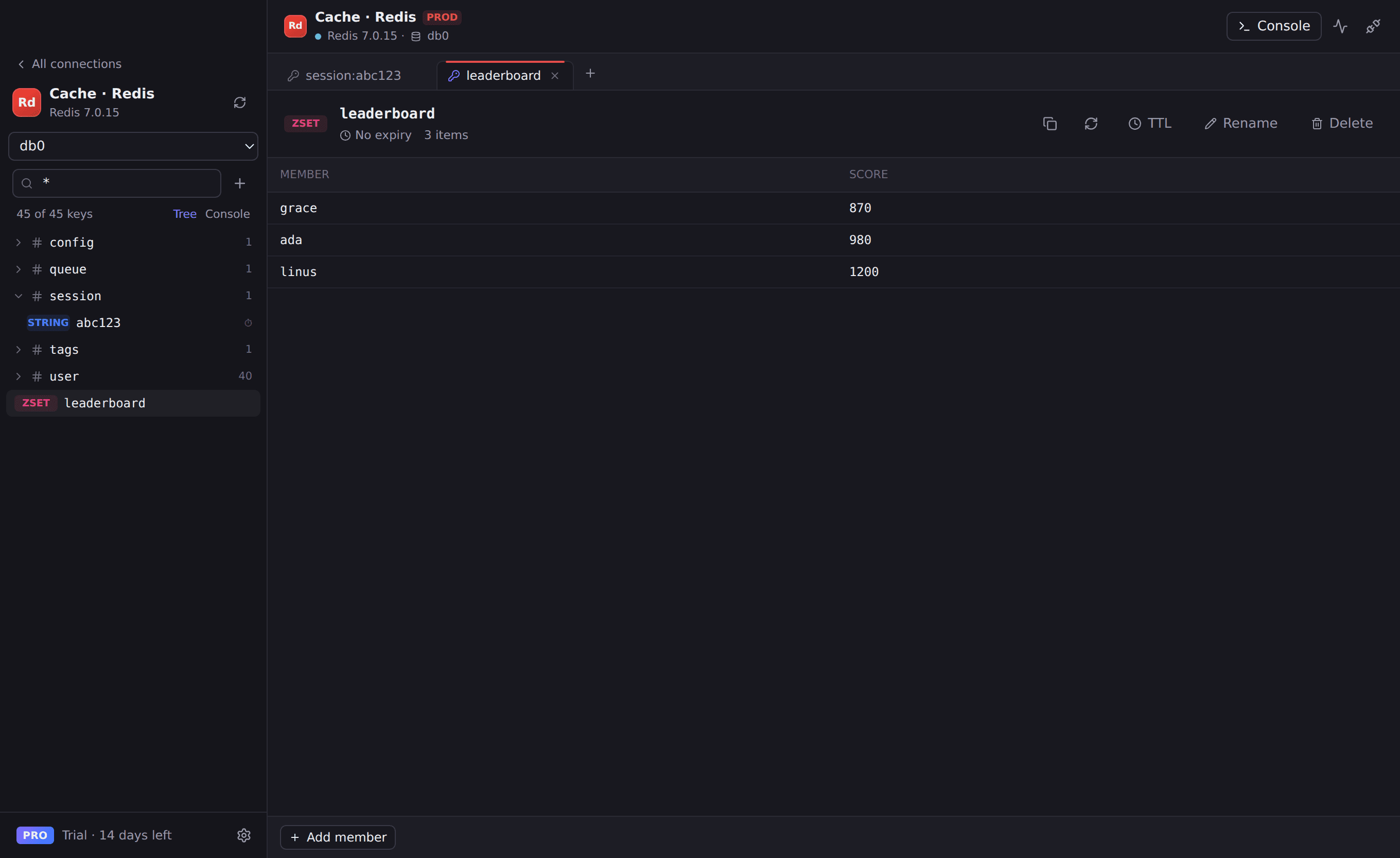
Everything you need for Redis
Key tree with SCAN
Millions of keys, browsed safely with SCAN and patterns like user:* — never a blocking KEYS call.
Editors for every type
Strings (with JSON pretty-printing), hashes, lists, sets, sorted sets and streams.
TTLs at a glance
See expiry on every key, set or remove TTLs, and keep existing TTLs when you edit a value.
Built-in console
Run any command, one per line, with results shown as tables.
Works with
- Redis 6 and newer
- Valkey
- Amazon ElastiCache
- Redis Cloud
- TLS (rediss://) and ACL users
Connect in seconds
- 1. Open Rowwright and click New connection.
- 2. Paste a connection URL, or fill in host, port and credentials:
redis://default:password@cache.example.com:6379/03. Press Save & Connect. Passwords are stored in your macOS Keychain.
Redis questions
- Is it safe to browse a large production Redis?
- Rowwright uses SCAN to load keys in batches rather than KEYS, and you can mark the connection read-only or production so writes are blocked or confirmed.
- Does Rowwright support Valkey?
- Yes. Valkey is compatible with the Redis protocol, so you connect to it exactly like Redis.